Good news for minimalists this holiday season: you can now gift Kindle books on Amazon.com. Woo-hoo!
As most of you know, I’m a huge fan of ebooks. They save trees, they save energy, and they save space in our homes.
You can imagine, then, how excited I was to learn about this feature. I come from a family of readers, and we’ve always enjoyed giving each other books. However, most of us have given up physical books in favor of digital ones, so our book gifting days had drawn to a close…until now. :-)
Here’s how it works:
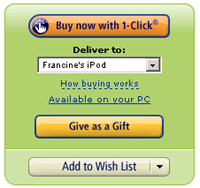 1. Click the “Give as a Gift” button (pictured above) on the book’s Kindle page.
2. Enter the email address of the recipient. (You can also include a gift message, if you’d like.)
3. Click the “Place your order” button to pay.
The recipient will receive a gift notification at the email address you provide, and instructions on how to accept the book.
The best part: no Kindle device is needed to give or receive books. If you send a book to someone without a Kindle, they’ll simply be prompted to download one of the free Kindle reading apps.
Another nice feature: if the person already owns (or doesn’t want) the book you gifted, they can exchange it for a gift credit to purchase something else. I love the fact that this happens with the click of a button – no worries about packaging up a physical book, shipping it back, and hoping you’ll actually receive a credit.
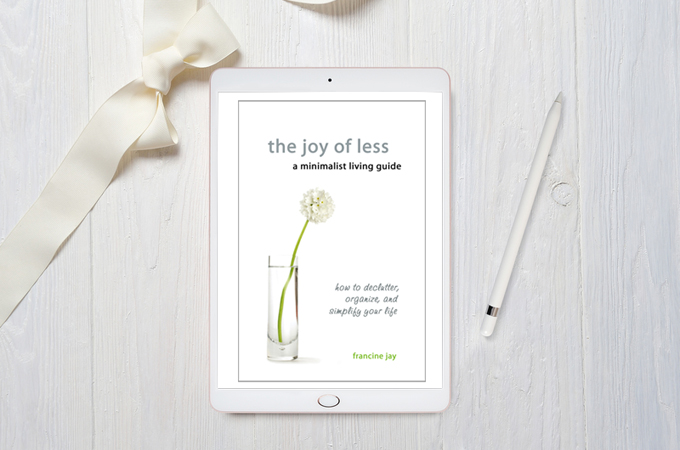
Sure, a no-gift holiday may be the minimalist ideal; but if that doesn’t fly with your loved ones, this is a great alternative to physical presents. People can even gift you Kindle books directly from your Amazon Wish List – so be sure to add The Joy of Less, Kindle Edition if you haven’t done so already. ;-)
So there you have it: one more way to make it through the holidays, unscathed by extra stuff. Technology is making it easier to be a minimalist every day!
Don’t forget that Google ebooks is coming out as well. And then there’s iBooks for iPad, so there are plenty of options nowadays for ebook fans.
the main issue I have with kindle is that I can’t pass on a book after I’ve read it. with paper, once read I can give a book to anyone – I’d like to be able to do that with a kindle book. I accept that it would have to be removed from “my kindle books” and I’d be happy to pay a nominal fee ( 50 cents?). Come on amazon – make the kindle fly!
Thanks so much for mentioning this, Francine. I had no idea you could gift ebooks, and two people in my family are getting Kindles for Christmas. This is perfect!
Thank you so much for posting this! My mom had called yesterday to ask if she could “gift” me a book for my ipad/kindle! I am sending her this link now!
I’ve been going back and forth on if I want to get an e-reader. But the more and more I find out about them, the more I feel I want to get one. I do use my iphone as an e-reader, but I think I’d like to get one of the full sized ones. can anyone recommend anyone in particular? I love that I can now ask people for digital books as gifts, but can they only be sent to my (hopefully soon to be) kindle or iphone on amazon? Of can they be sent to some of the lesser know e-readers?
I’m so glad that they finally introduced this feature. I bought my mom a Kindle earlier this year, and buying books for her was a real pain.
@Mercedes, Any book bought through Amazon can be read on any Kindle or iPhone/Android/Win7 device you own. Plus there are apps for the computer to read them, too. I don’t own a Kindle (as I use my Android phone to read), but you can do a whole lot with one these days besides reading — http://www.wired.com/gadgetlab/2010/09/how-to-do-almost-everything-with-a-kindle-3/
This is awesome news!
I have a Kindle and so do two other family members. Previously, I gave them Amazon gift cards but this is even better! I’d better update my Wishlist…..
I recently posted an article on my webpage about my ipod touch and downloading e-books to my ipod touch! I’m so excited that your book is available as an e-book! It will be on my ipod and thus in my pocket and purse!
As a newbie minimalist I really appreciate this post!
I get a lot of books and magazines free. I just gave a bag of craft books and magazines away this afternoon. I have been editing everything over and over.